Part of our guide on E-Bikes.
Your Bafang M620 bike shows 30H, the display stays on, and the speed reads 0 MPH even though the bike still rides. Is the display dying, has the speed sensor failed, or does 30H mean you have ridden 30 hours too many? None of those. 30H is a communication error between the display and the controller, 21H is the speed sensor error, and plain error 30 is the same communication family. Six yes-or-no checks find which part has failed: read the code, check the magnet, check the sensor connection, test with the sensor unplugged, swap-test the display, then see a dealer.
The 30H flowchart: follow it top to bottom
| Gate | Question | If YES | If NO |
|---|---|---|---|
| Stage 1 | Which code does the display show — 30H, 21H, or 30? | 30H or 30 → go to Stage 2 | 21H → speed sensor fault: go to Stage 2 |
| Stage 2 | Is the rear-wheel magnet present and lined up on the correct end of the sensor? | Go to Stage 3 | Refit the magnet on the correct end, then re-test |
| Stage 3 | Is the sensor connection clean — at the sensor and where it plugs into the motor? | Go to Stage 4 | Clean and reseat the connection, then re-test |
| Stage 4 | Does 30H stay with the speed sensor unplugged? | Not the sensor — go to Stage 5 | Sensor or its wiring is the fault — replace the sensor |
| Stage 5 | Does a known-good display clear the fault? | The display is the fault — replace it | Fault is in the harness or controller — go to Stage 6 |
| Stage 6 | Has a dealer checked the main harness and controller? | Follow the dealer’s diagnosis | Book the dealer — do not keep swapping parts |
Stage 1 — Which code does the display show: 30H, 21H, or 30?
Start by reading the code properly. The display’s Advanced settings list the last 10 error codes — open them and look at the most recent entry, not just the code on the screen right now.
First, what 30H is not: it is not a 30-hour trip overage. The “H” does not stand for hours, and no Bafang display locks you out for riding too long. 30H is a Bafang error about a bad connection — a communication error pointing at the controller–display link or the main harness. Plain error 30 on other Bafang systems is the same family.
21H is the different code. It is a speed sensor error, usually generated when the motor is turning but there is no input from the speed sensor — for example, when the magnet is missing. So the first branch is simple: 30H or 30 means communication, 21H means speed sensor. Both codes can appear on the same bike at different times, so read the log instead of guessing from the symptom.
A display showing 30H is still powered and talking to the bike well enough to report the code. A display that goes dark entirely is a power fault, not 30H — check the battery and its connection first, not the sensor.
Stage 2 — Is the magnet present and on the correct end of the sensor?
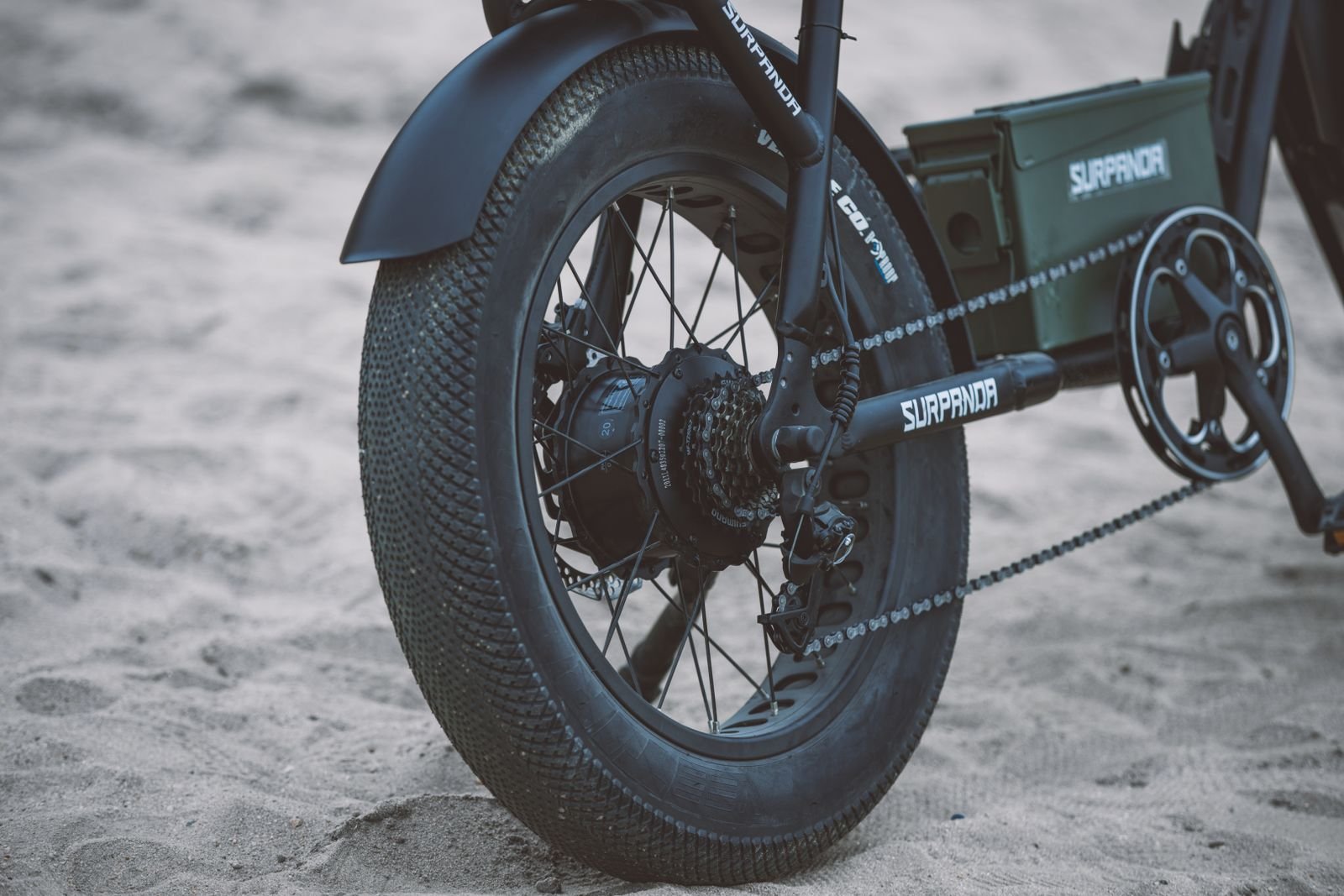
The rider in the forum thread this guide is built on had a bike that worked but always showed 0 MPH after a tyre change. The rear-wheel magnet was still attached and in the right place, and the sensor was close to the magnet — yet the speed stayed at zero. That is the trap: “present and close” is not “in the right place.”
Some speed sensors are picky about where the magnet sits: lining it up on the centre of the sensor may not work — it needs to be on the correct end. The sensor’s LED is at the tip opposite the threads — use that end as your reference.
Spin the wheel slowly by hand. The magnet should pass the correct end of the sensor once per revolution, close enough to trigger it but not touching. If it is on the centre, on the wrong end, or has slipped along the spoke after the tyre change, move it and re-test. A magnet that has drifted a few millimetres is the cheapest fix in this flowchart, so check it before you buy anything.

Stage 3 — Is the sensor connection clean?
If the magnet is right and the speed is still zero, check every connection in the sensor’s path — including where it plugs into the motor. A connection that looks seated can still be the fault: pull each plug apart, look for water, dirt, or bent pins, and push it home until it locks.
The speed sensor has three conductors — positive, negative, and sensor — and it talks to the system over the UART protocol. A single damaged wire can take the whole sensor offline while everything else keeps working. Follow the cable to the motor and look for pinches, cuts, or places where it rubs the frame.
After reseating the connections, spin the wheel again. If the speed comes back, the fault was the connection. If the speed is still zero and the code is still there, move on to stage four — the next test separates a sensor fault from a communication fault.
Stage 4 — Does 30H stay with the speed sensor unplugged?
This test splits the flowchart in two. Unplug the speed sensor and switch the bike on. In the forum thread, unplugging the speed sensor did not clear 30H — the code stayed, which tells you the fault is not the sensor.
If the code clears when the sensor is unplugged, the sensor or its wiring was dragging the system down, and a new sensor is the fix. If the code stays, the sensor is innocent: the fault lives elsewhere — in the display, the harness, or the controller. Do not buy a sensor on a 30H code alone, because this test shows the sensor may have nothing to do with it.

Stage 5 — Does a known-good display clear the fault?
If 30H survives the sensor test, the display is the next suspect. The rider in the thread fixed the problem by replacing the display, found by swap-testing with a second, mostly identical bike: the fault followed the display when the two displays were swapped.
Swap-testing is the only cheap way to prove a display fault, because a display can look fine and still fail to communicate. If you have access to a second bike with the same display, swap them and see whether the code follows the display or stays with the bike. If it follows the display, the display is the fault. If it stays with the bike, the fault is in the harness or the controller.
Do not buy a display on a guess — it is the most expensive part in this flowchart, and the swap test is free if you can borrow one. If you cannot borrow a display, stop swapping parts and go to stage six.
Stage 6 — Dealer: the main harness and the controller
If the magnet is right, the sensor connection is clean, 30H stays with the sensor unplugged, and the display has been cleared by a swap test, the fault is in the main harness or the controller. That is dealer work: the harness runs through the frame joining display, controller, and motor, and a break inside it will not show outside.
Take the dealer your notes: the code from the log, what the magnet check found, what the unplug test showed, and whether the display was swap-tested. A dealer who starts with that list does not repeat your work. Do not keep buying parts — a harness and a controller are both expensive, and guessing between them costs more than the diagnosis.

The thinking behind the procedure
The flowchart works because it separates two faults that look the same on the screen. 30H is a communication fault — display, harness, or controller. 21H is a speed sensor fault — the motor is turning but the controller hears nothing from the sensor, usually because the magnet is missing or misplaced. A bike can show 0 MPH for either reason, so the code, not the symptom, decides the branch.
One more symptom, also from the thread: with the speed input faulty, the bike felt like it was always in the top PAS level 5, because the controller reads the speed as always zero and keeps the assist high. If your bike suddenly feels stuck on full assist after a tyre change, check the magnet before you blame the controller.
Work the stages in order and stop at the first fix. The magnet check, the connection check, the unplug test, and the swap test all cost nothing if you can borrow a display. The expensive parts only come after the free tests have pointed at them.
In short
30H is a communication error, not a 30-hour limit and not a speed sensor error: read the code from the Advanced settings, check the magnet is on the correct end of the sensor, check the sensor connection, and test whether 30H stays with the sensor unplugged. If it stays, swap-test the display — in the thread, a new display was the fix — and if the display is cleared, take the bike to a dealer for the harness and controller. 21H, by contrast, is the speed sensor code, and usually means the magnet is missing or misplaced.
Readers also ask
What does Bafang error 30H mean?
30H is a Bafang communication error about a bad connection, pointing at the controller–display link or the main harness. It is not a 30-hour trip overage, and it is not a speed sensor error — that is 21H.
Why does my Bafang bike show 0 MPH after a tyre change?
Because the rear-wheel magnet moved during the tyre change. Check the magnet is present and lined up on the correct end of the sensor — the centre may not work. The sensor’s LED is at the tip opposite the threads, so use that end as your reference.
Will unplugging the speed sensor clear 30H?
No — in the forum thread, unplugging the speed sensor did not clear 30H, which showed the fault was not the sensor. If the code stays, the fault is in the display, the harness, or the controller.
How do I know if the display is the problem?
Swap-test it with a second, mostly identical bike. In the thread, replacing the display fixed the problem — the code followed the faulty display. If you cannot borrow a display, see a dealer rather than buying one on a guess.
Why does my bike feel stuck on PAS level 5 with a speed sensor fault?
Because the controller reads the speed as always zero when the speed input is faulty, so it keeps assist high. The thread’s rider felt the bike was always in the top PAS level 5. Fix the magnet or the sensor and the assist behaves normally again.
Additional Details
Name: Bafang M620 Error 30H vs Error 30: Is It the Display or the Speed Sensor?
Description: Bafang M620 error 30H is a communication fault, not a 30-hour trip limit — and not the same as 21H. Work through the six checks to find which part failed.
Published: November 23, 2026