Part of our guide on E-Bikes.
An electric mountain bike display problem usually shows up at the worst moment: the screen stays blank at the trailhead, the speed reading freezes halfway up a climb, or an error code appears the morning after a wet ride. Most of these faults are not a dead display: usually a loose cable, a flat battery, a changed setting, or water and vibration working on a connection.
This guide shows how to fix electric mountain bike display problems in a safe order, from the two-minute checks to the point where a part is the right answer. For battery faults, read How to Fix Electric Mountain Bike Battery Problems; for motor faults, read Electric Mountain Bike Motor Care Guide for Beginners.
Quick facts
| Fact | What it means |
|---|---|
| Problem this guide fixes | A display that stays blank, shows the wrong speed, flashes an error code, or stops answering |
| Check first | The battery charge, the cable and connector, the mount, and the settings |
| Most common causes | A loose connector, a flat battery, water in the cable, and a changed setting |
| Tools you need | Your manual, a dry cloth, and the correct charger |
| Stop and get help | Burning smell, smoke, a swollen battery, or a cracked display: stop and get qualified help |
| Related guides | Electric Mountain Bike Battery Problems, Electric Mountain Bike Motor Care, Electric Mountain Bike Range |
Quick recap
- Start with the battery, the cable and the mount.
- A blank display is often a power or cable problem, not a dead display.
- Wrong speed or distance readings are often a setting, not a sensor fault.
- Error codes differ by bike: read the code in your manual before buying a part.
- Never open the battery or motor to fix a display fault.
- When a fix needs a part, match voltage, connector and protocol exactly.
The short answer: check the power and the cable first
Most electric mountain bike display problems are not a dead display. A screen that stays blank, freezes, or shows wrong numbers is far more likely to have a flat battery, a loose or wet cable, or a changed setting.
The symptoms overlap: a loose cable can blank the screen on bumps, and a changed wheel-size setting can make the speed read wrong. Check the simple causes first, and only think about a replacement when they point that way.
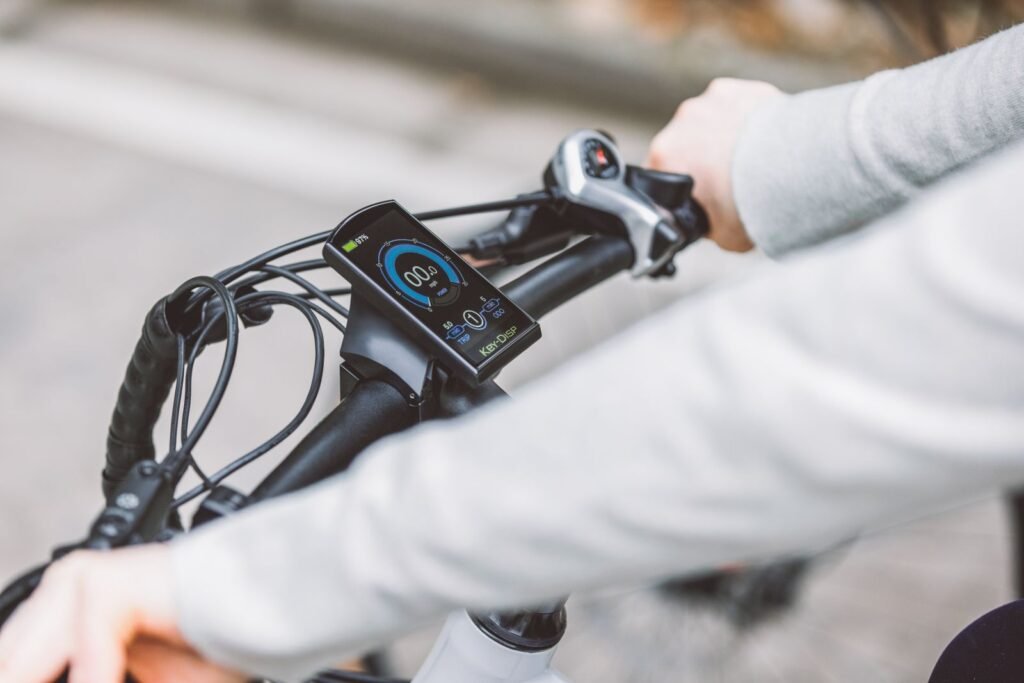
The rest of this guide follows that rule.
How to diagnose an electric mountain bike display problem, step by step
Work through these steps in order, and note the battery level, the weather, and when the fault happens.
- Charge the battery fully. Refit it until it clicks, if your manual allows it. A nearly empty battery can leave the display blank.
- Look at the display, mount and cable. Check for cracks, damp, dirt or a bent connector, and wipe dry contacts with a dry cloth. Do not charge a swollen, cracked or wet battery.
- Follow the cable from the display to the frame. Push each connector together until it seats, and look for a bent pin. A loose cable can blank the screen on bumps.
- Read the battery level in two places. If the battery and the display disagree, the display or its connection may be at fault.
- Switch the bike off and on again, once. One restart can clear a frozen screen after a wet ride.
- Check the buttons one at a time. A button that sticks after mud or rain can change the assist level by itself.
- Ride a short test route on low assist. Note whether it happens on bumps, on climbs, or when the battery is nearly empty.
If every step looks normal and the problem stays, get a qualified shop to test the display, cable and battery.
What you’ll need
- Your manual, or the display label, for voltage and connector
- The correct charger, and a dry place to charge the battery
- A dry cloth for the contacts and the screen
- A small Allen key set, to refit the mount
- A notebook to record when the fault happens
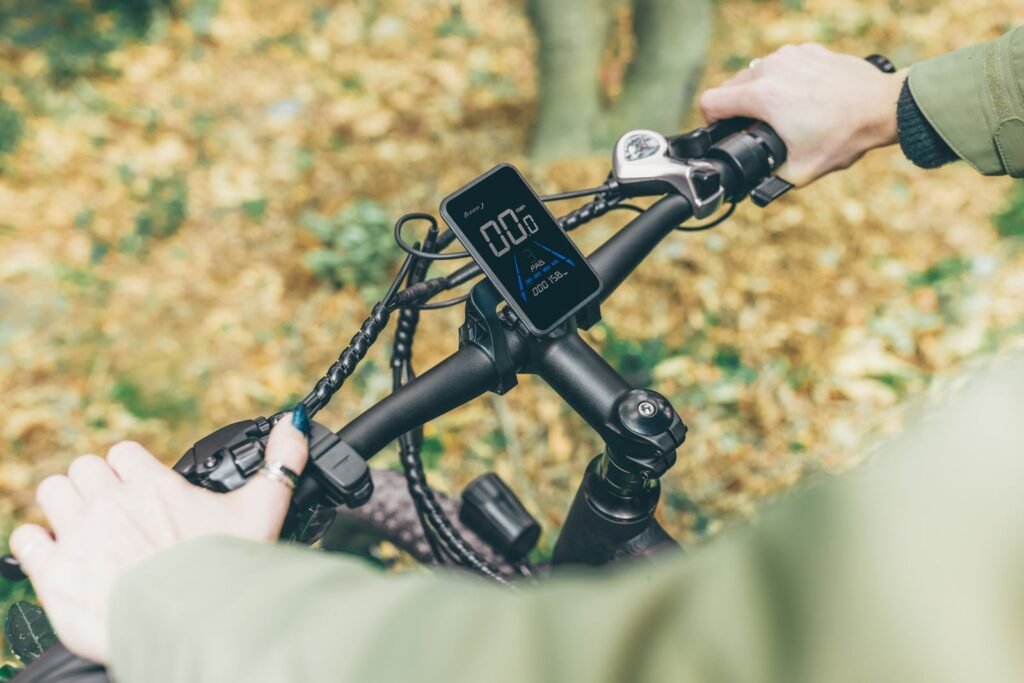
One Amazon product in this section only: the replacement display below fits 24V to 72V systems. Only use it if it exactly matches your bike.

What the symptom usually means
Use this table to match what you notice with what to try first. If the display or battery shows damage, skip the table and get qualified help.
| Situation | What you’ll notice | What to try |
|---|---|---|
| Display stays blank | Blank screen, even after charging | Charge the battery, refit it until it clicks, check the cable |
| Speed reads too high or too low | Speed and distance do not match the ride | Check the wheel-size and unit settings |
| Assist level will not change | Buttons click, but the level stays put | Check for a stuck button and clean mud from the controls |
| Error code on the screen | A code or warning that stays | Write it down and look it up in your manual |
| Screen flickers or fades | Readings come and go, or a dim backlight | Check the connectors and the brightness setting |

How water, cold and trail vibration change the answer
The same display can behave differently on a wet morning, after a cold night, or at the end of a long, rough season. Rain and spray can work into a connector or a button and make the screen flicker or the assist change by itself. Dry the bike and display after a wet ride.
Cold works the other way: a display left in a cold garage can look dim or slow until it warms up. Vibration works more slowly, loosening a cable a little each ride until the screen cuts out on bumps. That slow fade means the cable and mount need checking.
What works
- Dry the display, buttons and connectors after wet rides, then leave the bike indoors to dry
- Bring the battery indoors to warm up before charging
- Check the cable and mount after rough trails, and refit loose connectors
- Clean dried mud off the buttons with a dry cloth
What to watch
- Never aim a hose at the display, buttons or connectors
- Do not charge a battery that is wet, swollen, cracked or hot
- Do not judge display health from one cold ride alone
- Do not use a display that only fits the mount
Settings and controls that affect the display
Before deciding a display is faulty, check the settings. Wheel size is the biggest one: set wrong, a display reads the wrong speed and distance on every ride.
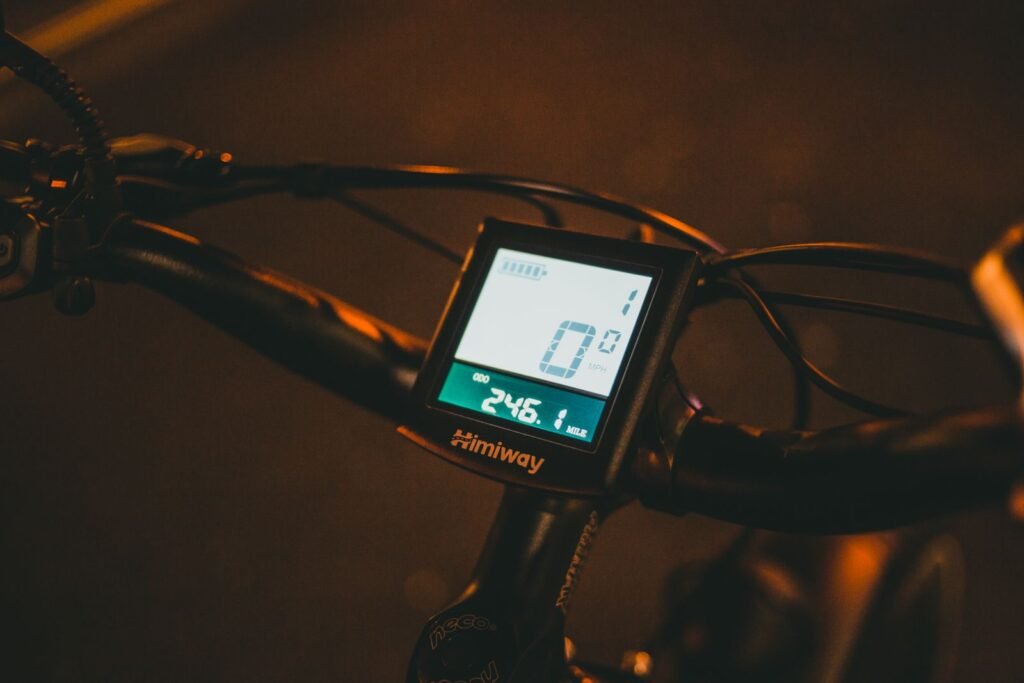
The display is part of the diagnosis too. Its battery bars measure charge, while a range estimate is only a guess. If the estimate jumps around, trust the battery bars instead.
What works
- Check wheel size, units and assist levels against your manual before suspecting the sensor
- Use the lowest assist that keeps the ride comfortable, and save the highest for climbs
- Compare the battery bars on the same route on similar days, instead of trusting one range estimate
What to watch
- A display that drops from full to empty in minutes points to a connection or battery fault
- A range estimate that changes wildly is a guess, not a measurement
- Do not ride with a display or control that sticks, resets, or changes assist by itself
When a fix needs a part or a replacement
Some display problems have a simple fix, and some need a part. A loose cable can be refitted, a dirty connector cleaned, and a wrong setting put right. A cracked or dead display cannot be fixed at home.
| Fix | Best use | Limit |
|---|---|---|
| Refit the cable connectors | Screen blanks on bumps | Will not help if a pin is bent |
| Clean dry contacts | Intermittent power after wet rides | Do not use water on a damaged battery |
| Replacement display | Screen stays blank or cracked | Must match voltage, connector and protocol exactly |
| Professional diagnosis | Burning smell, smoke or swelling | Do not open or try to repair a damaged battery or display |
What works
- Keep the manual and display label with the bike
- Ask a shop to test a dead display before buying one
- After any fix, take a short ride and check the screen reads normally
What to watch
- A cheap display that only fits the mount can damage the battery
- A second-hand display with no history can carry the same fault
- Do not keep riding a bike whose display changes assist itself
When the display cannot be saved and the rest of the bike is worn, a replacement bike is sometimes cheaper than chasing parts. The bike below is the same kind this guide covers, with an LCD display and a 1500W peak motor.

The verdict
Most electric mountain bike display problems are fixed by charging the battery, refitting the cable, and putting the settings right, not by buying a new display. When those checks fail, or the display is cracked or wet inside, a qualified shop test is the right next step.
Readers also ask
Why is my e-bike display blank?
Start with the battery charge, the mount and the cable. A loose connector, a flat battery or a damaged cable leaves the screen blank.
Why does my e-bike display show the wrong speed?
Check the wheel-size and unit settings first. A wrong wheel size, or a switch between miles and kilometres, reads wrong on every ride.
What do e-bike display error codes mean?
They differ by bike. Write the code down and look it up in your manual, and do not clear it by disconnecting parts. If it is not listed, a qualified shop should read it.
Can water damage an e-bike display?
Yes. Rain and spray can work into a connector or a button and make the screen flicker. Dry the display after wet rides.
How do I know if my display needs replacing?
When the screen stays blank or cracked after the battery, cable, mount and settings are checked, and a shop test agrees.
Is it safe to ride if the display changes assist by itself?
No. Stop riding and get the bike checked: it can surge without warning.
Affiliate Disclosure: We may earn a commission when you buy through links on this site, at no extra cost to you.
Additional Details
Name: How to Fix Electric Mountain Bike Display Problems
Description: Learn how to fix electric mountain bike display problems: blank screens, wrong readings, error codes and loose cables, and when a replacement is the right call.
Published: November 17, 2026