Part of our guide on E-Bikes
Error 514001 or 514002 on a Bosch Smart System display means the drive unit is having trouble reading the speed signal. The bike may show the wrong speed, limit the drive output, or both — and the fix starts at the wheel, not at the display. These are six-character Smart System codes, and they do not map onto the old Classic code list: 514001 is not “code 514” with extra digits, and no Classic list will tell you what it means.
This guide works through the checks in order, explains which sensor system you have, and tells you where to look a code up when it is not one of the two covered here. Jump to a step:
- Step 1: Read the exact six-digit code
- Step 2: Work out which sensor system you have
- Step 3: Check the magnet is still there and secure
- Step 4: Check the sensor, the magnet and the cable
- Step 5: Restart and test-ride
Step 1: Read the exact six-digit code
Read the display and write the full code down — all six characters. 514001 and 514002 are Smart System codes, and they belong to the 51400x group, which also includes 514003 and 514006, plus 523005. Do not shorten the code or look it up in a Classic list: the Smart System numbers are six characters and are not padded Classic codes, so the two lists do not map onto each other. A code you cannot find in either list is not a code to guess at — Bosch revises the code set and pushes drive-unit software over the air through eBike Flow, so look a missing code up at help.bosch-ebike.com or in the bike’s own manual.

Step 2: Work out which sensor system you have
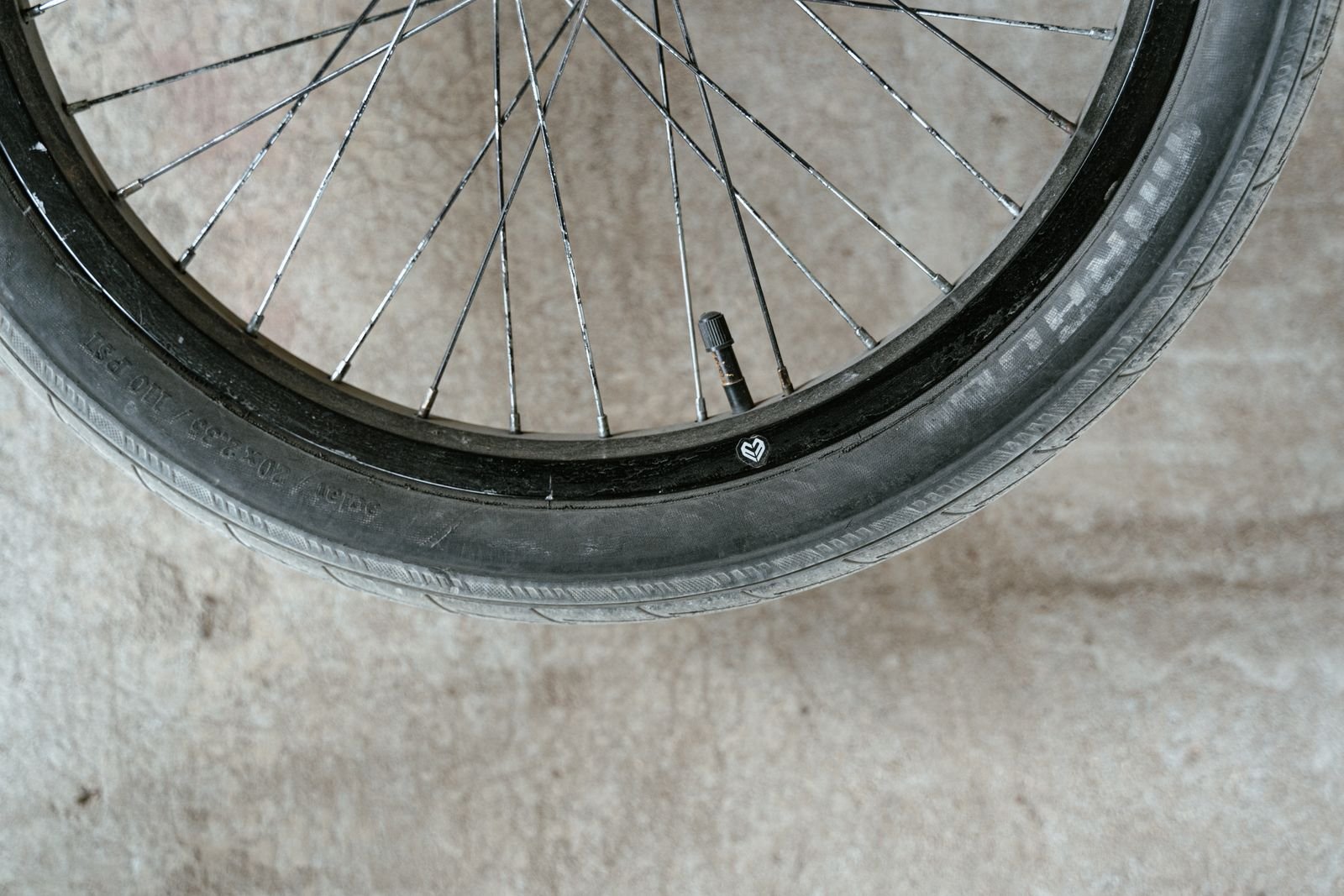
The 51400x group covers two different sensor setups, and the checks are different for each — so work out which one your bike has before you touch anything. One setup is a magnet sensor with a spoke magnet: a small magnet on a spoke passes a sensor as the wheel turns. The other is a rim magnet, which sits on the valve. Look at the rear wheel: if the magnet is on the valve, you have the rim-magnet setup; if it is clipped to a spoke, you have the spoke-magnet setup. Checking the wrong one is the easiest way to waste an afternoon, because a spoke magnet that looks fine tells you nothing about a rim magnet that has come loose.

Step 3: Check the magnet is still there and secure
Bosch’s guidance for this whole group starts with one check: the magnet is still there. On a rim-magnet bike, look at the valve and make sure the rim magnet is still on it and secure — this is the specific check Bosch gives for 514002. On a spoke-magnet bike, find the magnet on its spoke and check it has not slid, cracked, or gone missing. A magnet that has moved or fallen off is the most common reason the drive unit starts reporting interference in the magnetic-field detection, because the signal it reads no longer looks like a wheel turning.

Step 4: Check the sensor, the magnet and the cable
With the magnet confirmed in place, check the rest of the chain the way Bosch describes it: a magnet sensor, its magnet and its cable must all be correctly installed. Follow the cable from the sensor and look for damage, loose plugs, or a cable that has been pinched or pulled. With a rim magnet, there is one more check Bosch names: magnetic interference near the drive unit. If something magnetic has been fitted or stored close to the drive unit, move it away and see whether the code clears. A sensor that is loose, a cable that is damaged, or interference near the drive unit can all make the same group of codes appear.

Step 5: Restart and test-ride
For 514002 specifically, Bosch’s advice is to check the rim magnet is secure on the valve, then restart and test-ride. Switch the bike off, switch it back on, and ride while watching the speed on the display. If the speed reads correctly and the code stays away, the fault was the magnet or the sensor seating. If the display still shows a wrong speed, or the drive output is still limited, the fault is deeper than the magnet — do not keep riding round in circles hoping it clears. Note the exact code, note what the speed reading does, and take that information to a dealer or look the code up at help.bosch-ebike.com.

Why 514001 and 514002 happen
The 51400x group — 523005, 514001, 514002, 514003 and 514006 — means interference in magnetic-field detection. In plain terms, the drive unit is not getting a clean speed signal from the magnet and sensor at the wheel, so it cannot trust the speed it is reading. That is why the steps above all happen at the wheel and the cable, and none of them happen in a settings menu.
Code 514002 has its own more specific meaning in Bosch’s help centre: an internal speed sensor fault that can show a wrong speed and limits drive output. That is why the wrong-speed symptom matters — a display showing a speed that does not match how fast you are actually going is the fingerprint of 514002, and it is also why the test ride in step 5 watches the speed reading rather than just waiting for the code to disappear.

One more thing the “why” explains: why the codes are six digits. Smart System codes are a different numbering scheme from the Classic three-digit codes, and Bosch revises the set over time, pushing drive-unit software over the air through eBike Flow. That is why a code list printed last year may not have the code on your display today — and why guessing from an old list is worse than looking the code up.
Tips that stop 514001 and 514002 coming back
- After any wheel change or puncture repair, check the magnet is back where it belongs before the first ride — rim magnet on the valve, spoke magnet on its spoke.
- Do not store magnetic accessories against the drive unit. With a rim magnet, Bosch names magnetic interference near the drive unit as a cause, so keep magnets away from it.
- When a code appears, write down the full six digits before switching the bike off. A shortened or misremembered code sends you to the wrong fix.
- If the speed reading is wrong after a restart, stop guessing and look the exact code up at help.bosch-ebike.com or in the bike’s own manual.


The verdict
Errors 514001 and 514002 mean the drive unit cannot trust the speed signal, so check the magnet first — rim magnet on the valve, or spoke magnet on its spoke — then the sensor and cable, then restart and test-ride while watching the speed. And never map a six-digit Smart System code onto the old Classic list.
Readers also ask
Is 514001 the same as Classic code 514?
No. Smart System numbers are six characters and are not padded Classic codes. 514001 is not “code 514” with extra digits, and the two lists do not map onto each other — look a Smart System code up in Smart System guidance, not in a Classic table.
What does 514002 mean exactly?
Bosch’s help centre describes 514002 as an internal speed sensor fault that can show a wrong speed and limits drive output. Its specific check is to make sure the rim magnet is secure on the valve, then restart and test-ride.
Why is my speed reading wrong?
A wrong speed reading is the fingerprint of this fault group: the drive unit is getting interference in the magnetic-field detection, so the speed it calculates does not match the wheel. Check the magnet, the sensor and the cable before assuming the display is at fault.
Do I have a spoke magnet or a rim magnet?
Look at the rear wheel. If the magnet sits on the valve, you have the rim-magnet setup; if it is clipped to a spoke, you have the spoke-magnet setup. The 51400x group covers both, so checking the wrong one tells you nothing.
What if my code is not 514001 or 514002?
Do not extrapolate. Bosch revises the code set and pushes drive-unit software over the air through eBike Flow, so look the code up at help.bosch-ebike.com or in the bike’s own manual — a code list from last year may not have it.
Additional Details
Name: Bosch Smart System Error 514001 and 514002: Speed Sensor Fix
Description: Bosch Smart System error 514001 and 514002 mean speed sensor trouble. Learn which magnet your bike has, the checks to run, and when to look the code up.
Published: November 23, 2026